Your storage
Files stay with your provider. GhostDesk gives you the desktop workflow.
Private Storage Desktop
Start with Cloudflare R2. Work with S3-compatible storage through a compact desktop that can browse, upload, share, and lock files without GhostDesk hosting them.
Trust
Files stay with your provider. GhostDesk gives you the desktop workflow.
S3 keys are encrypted with your encryption password and synced so one login works on every device.
GhostDesk does not proxy, host, or resell your file storage.
Share links are designed for direct downloads from your storage.
Product
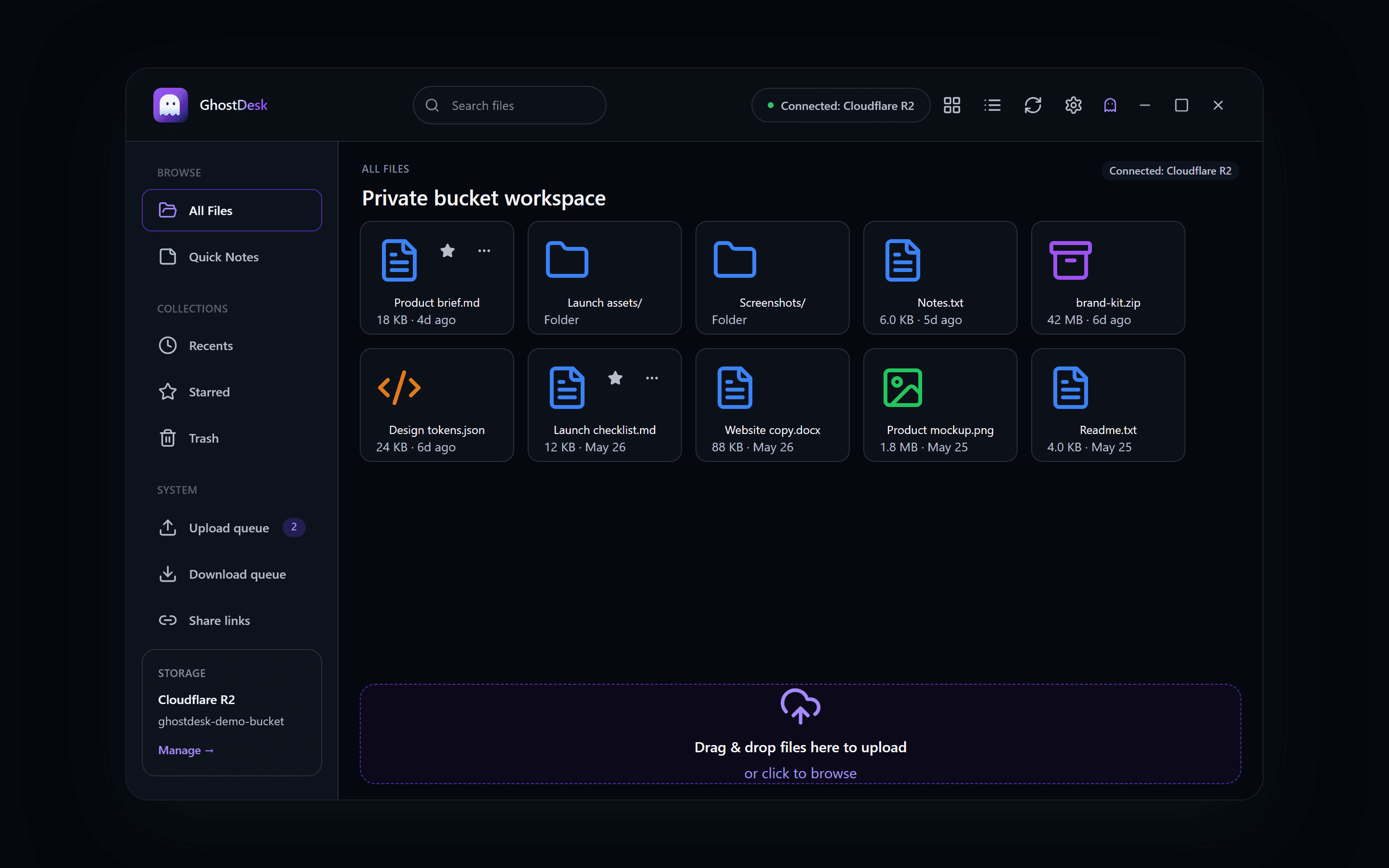
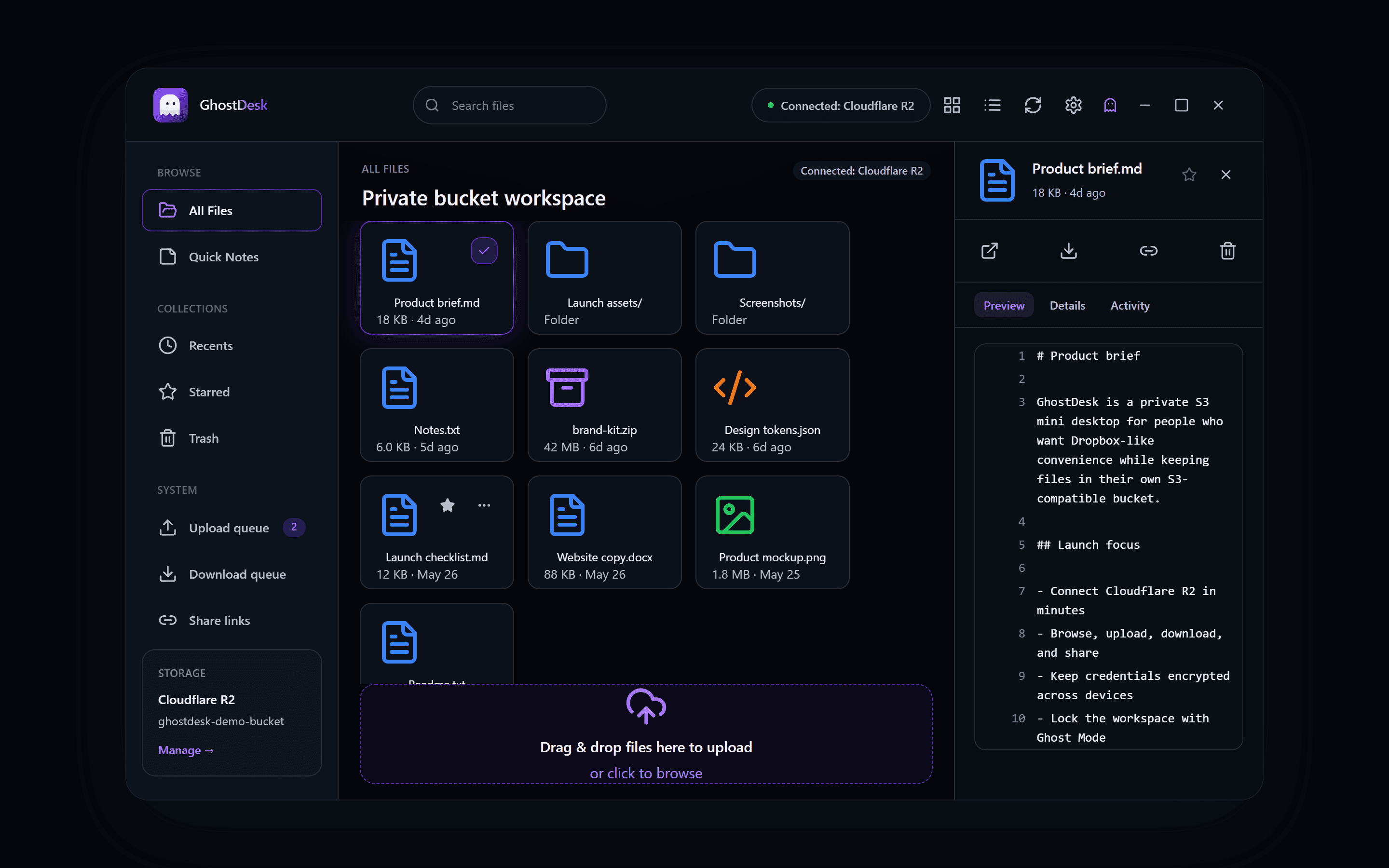
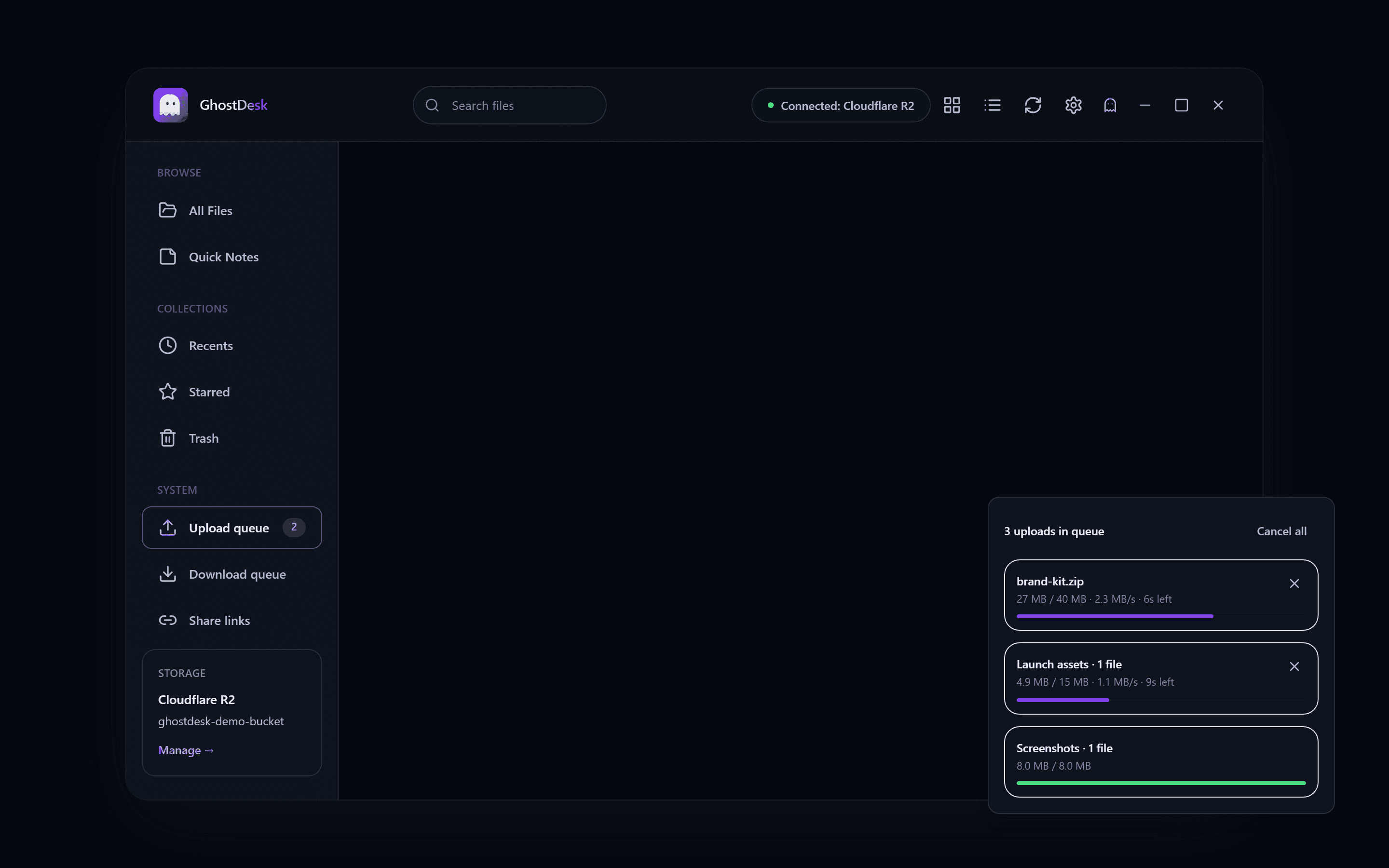
Real GhostDesk screens captured from the desktop renderer, using safe demo data.
Scene 1
Grid, preview, details, and activity live in one compact workspace.
Scene 2
Upload queue keeps file and folder transfers visible without leaving the workspace.
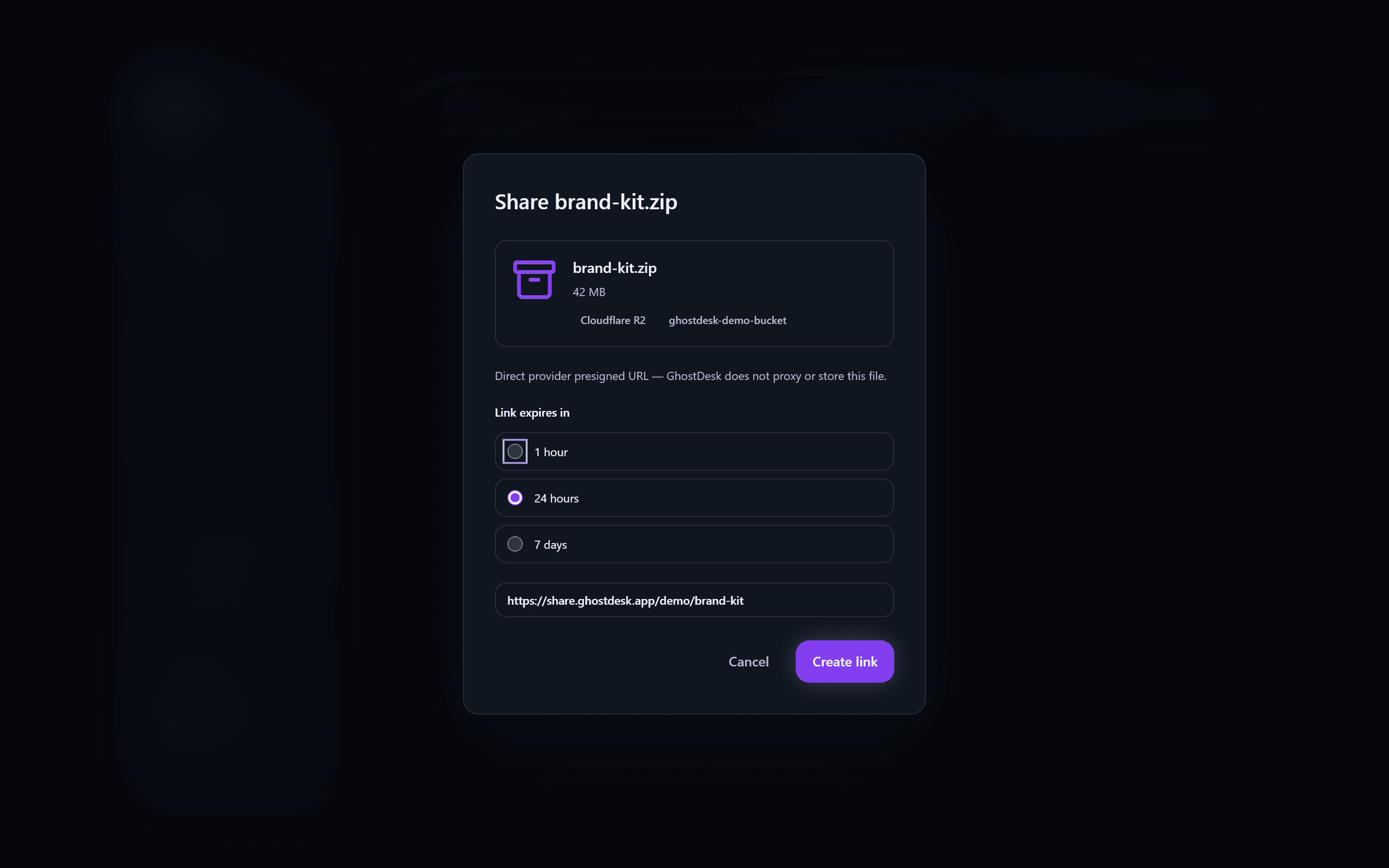
Scene 3
Send time-limited access while files remain served from your storage provider.
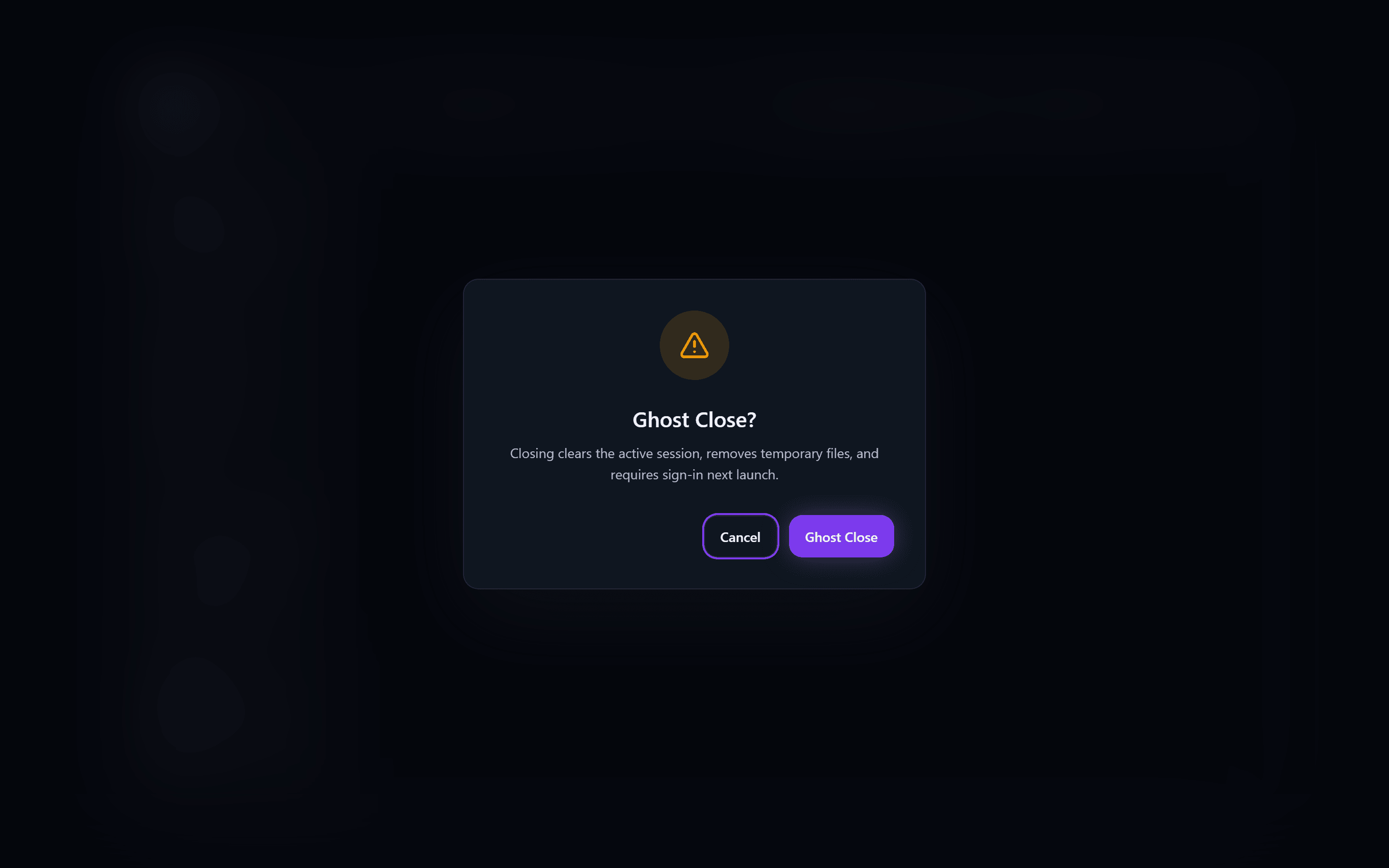
Scene 4
Ghost Close clears the active session and protects the next launch.
BYOS
GhostDesk is for people who want storage control and a polished desktop workflow in the same product.
Where files live
GhostDesk: Your storage provider
Hosted drive: The cloud drive provider
Storage billing
GhostDesk: Between you and your provider
Hosted drive: Bundled into the drive product
Daily workflow
GhostDesk: Desktop browse, upload, share, lock
Hosted drive: Hosted drive workspace
Security
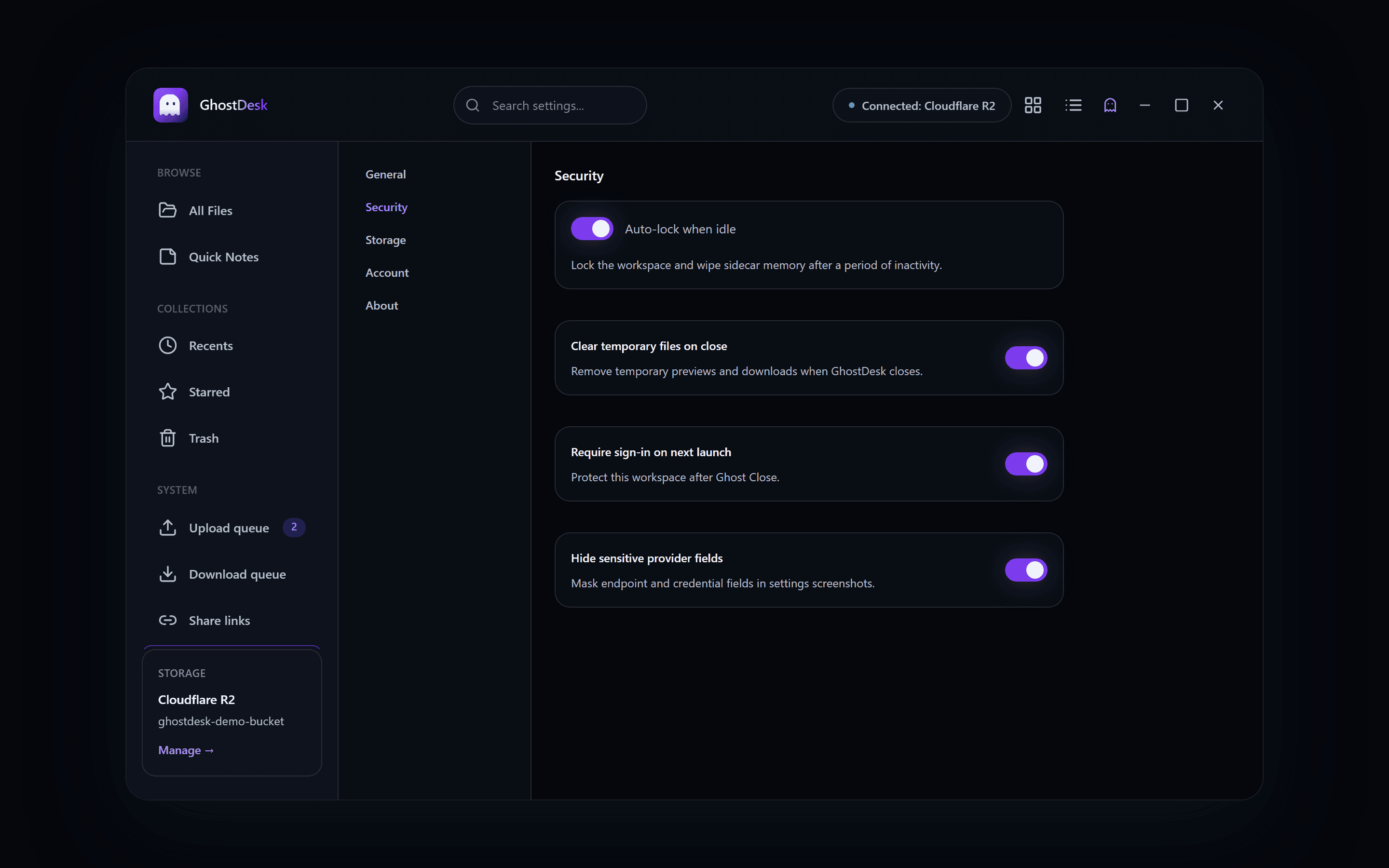
Credential encryption, Ghost Mode, and direct-from-storage sharing are part of the product model. Technical details stay visible for people who want to inspect the trust boundary.
Device
You unlock the workspace
01
Encrypted config
Credentials stay password-encrypted
02
Your storage
Files remain with your provider
03
Guest link
Time-limited downloads
04
Providers
Learn
Storage Guides
Learn how a private desktop client can make Cloudflare R2 easier to browse, upload, share, and lock without GhostDesk hosting your files.
Privacy
Bring-your-own storage means your files stay with a provider you control while apps provide the interface. Here is how it applies to GhostDesk.
Product
GhostDesk share links are designed around time-limited access from your storage, so guests can download without GhostDesk hosting the file bytes.
FAQ
No. Files live in storage you own. GhostDesk only stores encrypted credentials and share-link metadata needed for the workflow.
Phase 1 supports one bucket per account. Multi-bucket workspaces are planned for Phase 1.5.
Guests download via time-limited presigned URLs from your storage. GhostDesk serves the page, not the bytes.
R2 is the first recommended provider for setup. The product is designed around S3-compatible storage workflows and broader user-owned storage over time.
Your sign-in password (or Google/Apple login) opens your GhostDesk account. Your encryption password protects your S3 credentials. Resetting sign-in does not change encryption — you unlock storage with the encryption password you set during setup.
Use the 12-word recovery kit you saved during setup. GhostDesk cannot reset encryption passwords or email recovery words. Without the kit, reconnect storage with fresh S3 keys.
Your encryption password stays the same. After reset, sign in and unlock storage — you do not need to re-enter S3 keys if you still know your encryption password.
Download on Microsoft Store for Windows. Mac App Store coming soon.