
Storage Guides
Cloudflare R2 Desktop Client: Work With Your Bucket Without Giving Up Control
Learn how a private desktop client can make Cloudflare R2 easier to browse, upload, share, and lock without GhostDesk hosting your files.
6 min read · Published 2026-06-02 · Updated 2026-06-02
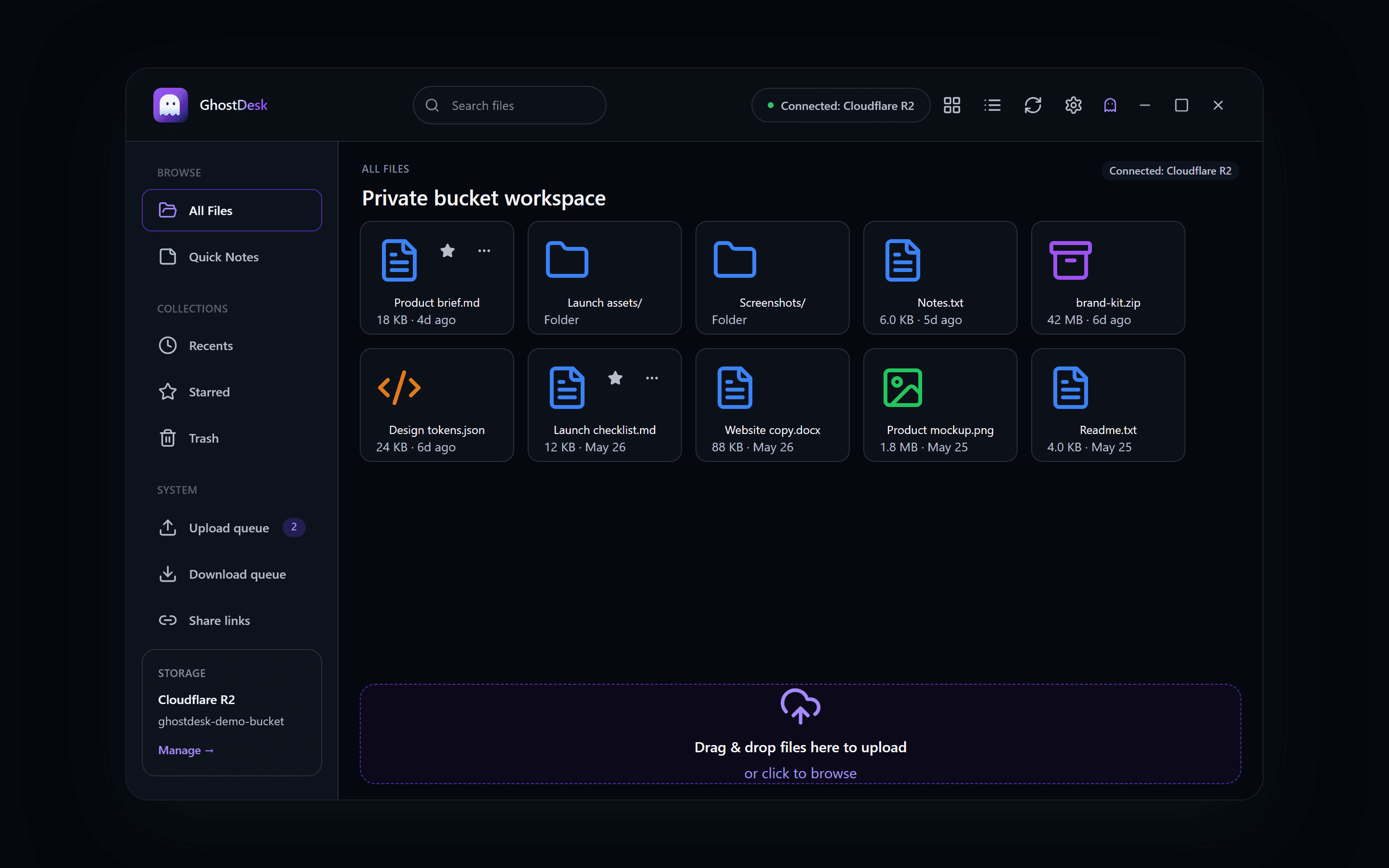
Cloudflare R2 is a strong storage choice for builders who want S3-compatible object storage without traditional egress fees. The missing piece is often the daily workflow: browsing files, uploading folders, previewing small notes, and creating share links without living inside a cloud console.
Why R2 benefits from a desktop layer
R2 is built as object storage. That makes it flexible and powerful, but object storage does not feel like a personal desktop by default. A focused desktop client can add the familiar pieces people expect: navigation, upload queues, previews, share links, and a lockable workspace.
- Browse a bucket without opening the Cloudflare dashboard.
- Upload files and folders while keeping folder structure.
- Preview image, text, and code files that fit the GhostDesk preview rules.
- Create time-limited share links without GhostDesk hosting the file bytes.
What GhostDesk adds
GhostDesk starts with Cloudflare R2 because R2 is a practical first provider for indie builders. The app turns that bucket into a compact private desktop: connect storage, browse files, upload assets, share downloads, and use Ghost Mode when you want to clear the active session.
Best fit
A private R2 desktop workflow is best for founders, creators, and technical teams who want direct control over storage while still needing a clean UI for everyday file work.
Build with GhostDesk
Work with storage you own from a compact private desktop.
Start with Cloudflare R2 and S3-compatible providers. GhostDesk gives you browse, upload, share, and Ghost Mode workflows without hosting your files.
Read the security model